Guide 3 min read
How to write prompts for AI images
A practical formula for image prompts: subject, setting, light, medium and camera. With before-and-after examples you can copy and try.
On this page
An image model can only draw what you describe. The good news: you don't need secret keywords. A clear description in plain English, written the way a photographer or illustrator would brief a colleague, beats a long list of buzzwords.
A simple formula
Most strong prompts answer the same six questions, roughly in this order:
- Subject: who or what is in the picture, with one or two defining details.
- Action or pose: what the subject is doing.
- Setting: where it happens, and when (time of day, season, weather).
- Light: soft window light, hard midday sun, neon, candlelight, golden hour.
- Medium and style: photo, oil painting, 3D render, watercolor, anime film frame.
- Camera and composition: close-up or wide shot, lens, angle, depth of field.
Weak prompt
a cat, beautiful, 8k, masterpiece, trending
Better prompt
A ginger cat asleep on a stack of old books in a quiet library, late afternoon sun through tall windows, dust in the air, warm film photo, 50mm, shallow depth of field
The strong version tells the model what to draw, where, in which light and how it is framed. Quality buzzwords add little.
Lead with the subject
Models pay most attention to the start of the prompt. Put the main subject first and keep its description concrete: "an elderly fisherman in a knitted cap" is better than "a man". Two or three specific details are enough. Ten details compete for attention and some get dropped.
Describe the light
Light sets the mood more than anything else. Borrow words from photography: soft overcast light, rim light, backlight, window light from the left, blue hour, harsh flash. If a result looks flat, changing only the light is often the fastest fix.
Name the medium
"Photo" and "illustration" are very different requests. Be explicit: "editorial fashion photo", "children's book watercolor", "isometric 3D render", "hand-painted anime film frame". Add one or two style cues, such as film grain or clean line art, rather than a list of artists.
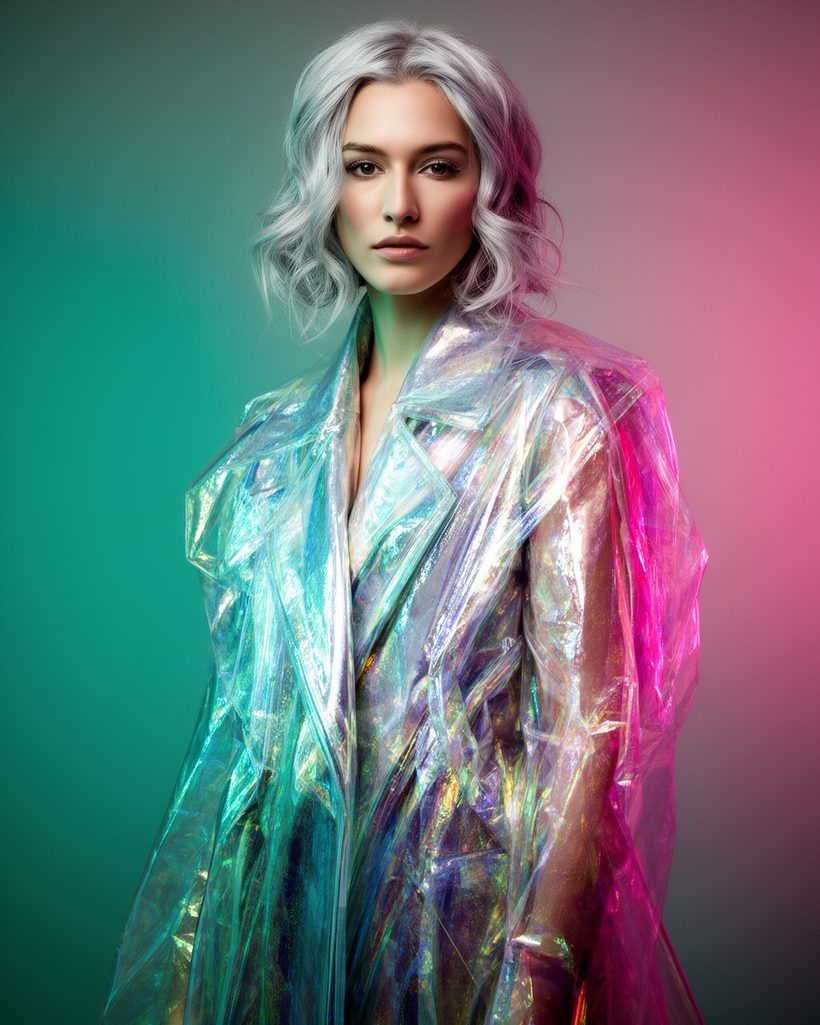
Editorial portrait of a woman with short silver hair in an iridescent coat, standing in a concrete stairwell, teal and magenta gel lighting, medium format photo, 85mm, shallow depth of field
A complete prompt: subject, setting, light, medium and camera.
Composition and format
Use the aspect ratio option in the studio form instead of writing "16:9" in the prompt; most models follow the setting more reliably. In the prompt, describe framing: close-up, waist-up, full body, wide establishing shot, top-down flat lay, low angle. Leave space for text by saying where: "empty space on the right for a headline".
Text inside images
Put the exact words in quotes and keep them short, for example: the words "Fresh every morning" in elegant serif at the top. Some models are much better at lettering than others. Ideogram v3 Quality, GPT Image 2 and Nano Banana Pro are good places to start. Always proofread before you print.
Say what you want, not what you don't
Writing "no people" can make people more likely, because the word is now in the prompt. Describe the scene you want instead: "an empty beach at dawn". Some models have a separate negative prompt field; use it for short lists of things to avoid, such as "blurry, extra fingers, watermark".
Change one thing at a time
When a result is close, don't rewrite the whole prompt. Change one part, such as the light or the lens, and compare. If the model has a seed field, keep the same seed while you tweak the words: the composition stays similar and you see the effect of your change.
Quick checklist
- Main subject first, with two or three concrete details.
- One clear setting and one kind of light.
- The medium stated plainly: photo, painting, render.
- Framing in words, aspect ratio in the form.
- Short text in quotes, on a model that handles lettering.
- Iterate one change at a time, with a fixed seed when available.
Written by the Yumeforge team. Model options change over time; each model page shows the current ones.